Moth in the Claude app
Moth DocsGuides
Add Moth to the Claude app as a connector, approve it with your wallet, and every Moth model answers inside Claude, each result as a Moth card in the chat.
Claude adds Moth's MCP server by its address, https://api.runmoth.ai/mcp, and signs in with Moth. You approve it once in Moth Console, with a spending limit for Claude, and there is no key to copy. It works in Claude on the web and in the desktop app.
Every call Claude makes through Moth is private inference inside Claude. It goes through the Mothpoint like any other call, so the model's host sees Moth and never you. Claude still sees its own conversation, as it does with any connector.
Add Moth to Claude
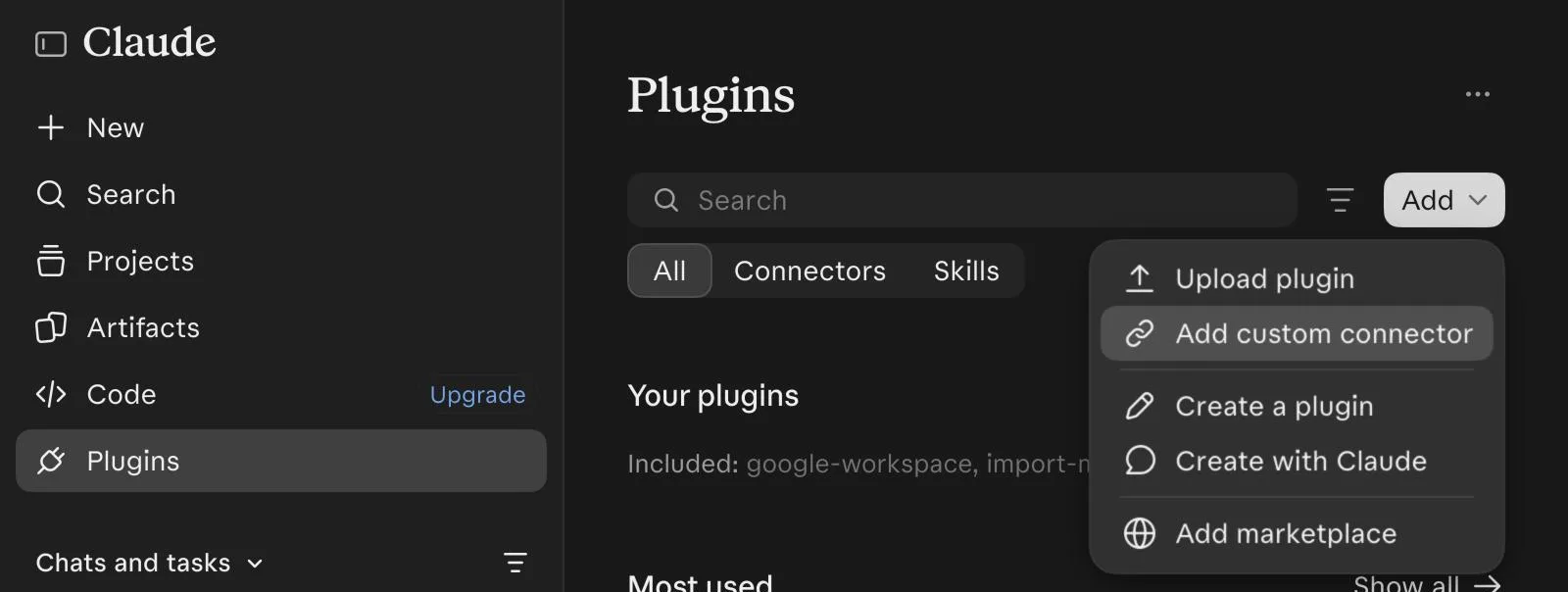
Open Plugins
In Claude, open Plugins in the side panel. Some accounts show Customize, then Connectors, in its place, and claude.ai/customize/connectors opens the right page on both.
Add a custom connector
Press Add at the top right and choose Add custom connector.
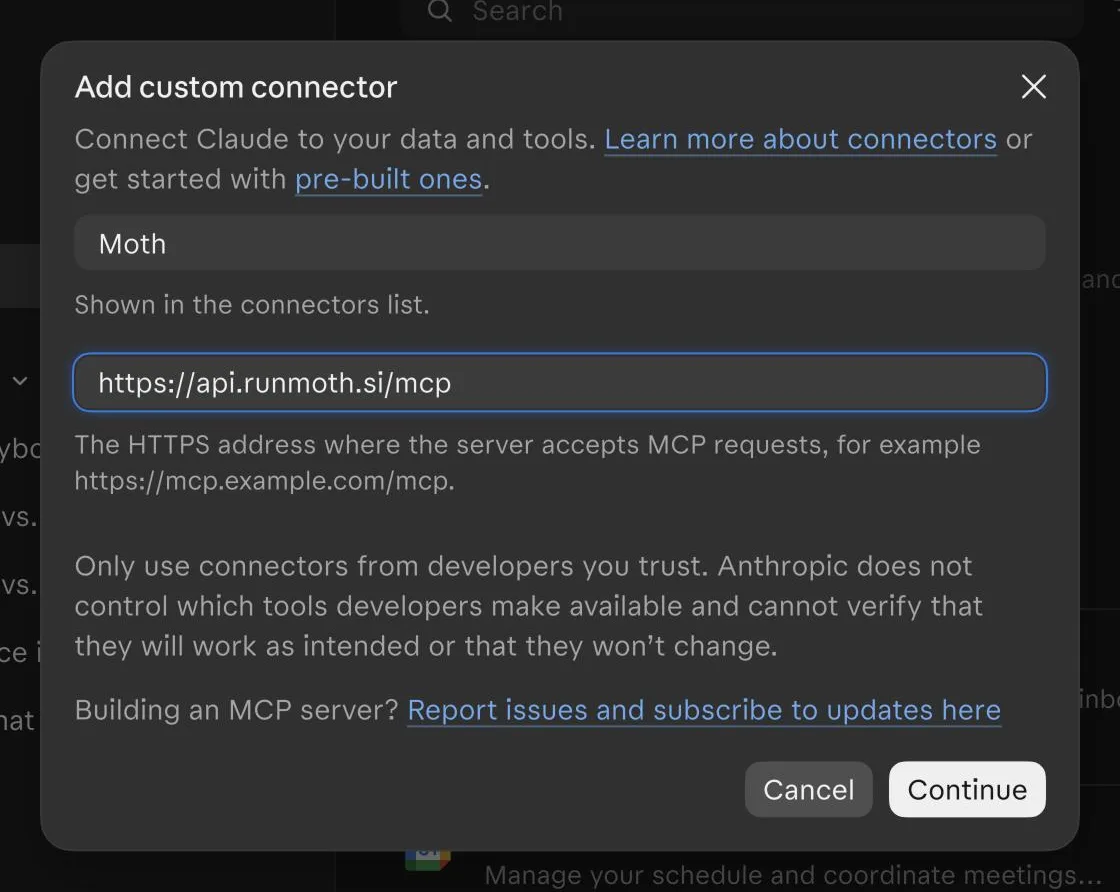
Name it and paste the address
Name it Moth, paste
https://api.runmoth.ai/mcpas the MCP server URL and press Continue. A connector added earlier with https://api.runmoth.si/mcp keeps working as it is.Keep what Claude detected
The second step shows the sign-in settings. Claude reads them from Moth and marks two as Detected, Sign in now and Use Claude's published identity. Leave both as they are and press Add.

Claude's free plan allows one custom connector, and the paid plans allow more. On a Team or Enterprise plan, an owner adds the connector for the organization first.
Approve it with your wallet
Sign in at Moth Console
Add sends you to Moth Console, which asks you to sign in with your wallet if you aren't signed in already. Use Claude in the browser that has your wallet, since only the browser that started the connection can approve it.
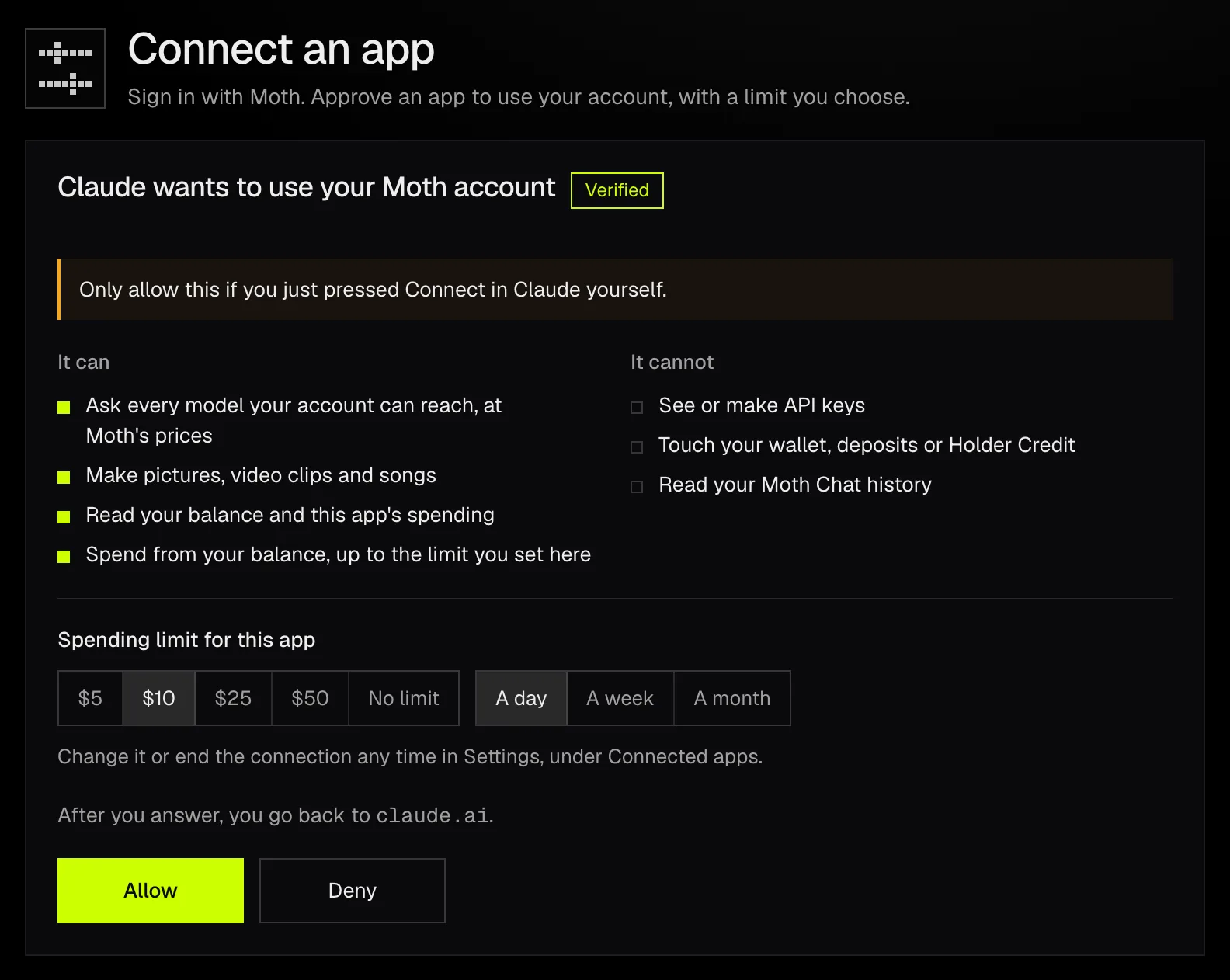
Read what Claude may do
The page lists what Claude can do with your account and what it can't.
Set the limit and press Allow
The spending limit is $10 a day unless you pick another amount or period. Press Allow and you are back in Claude, connected.
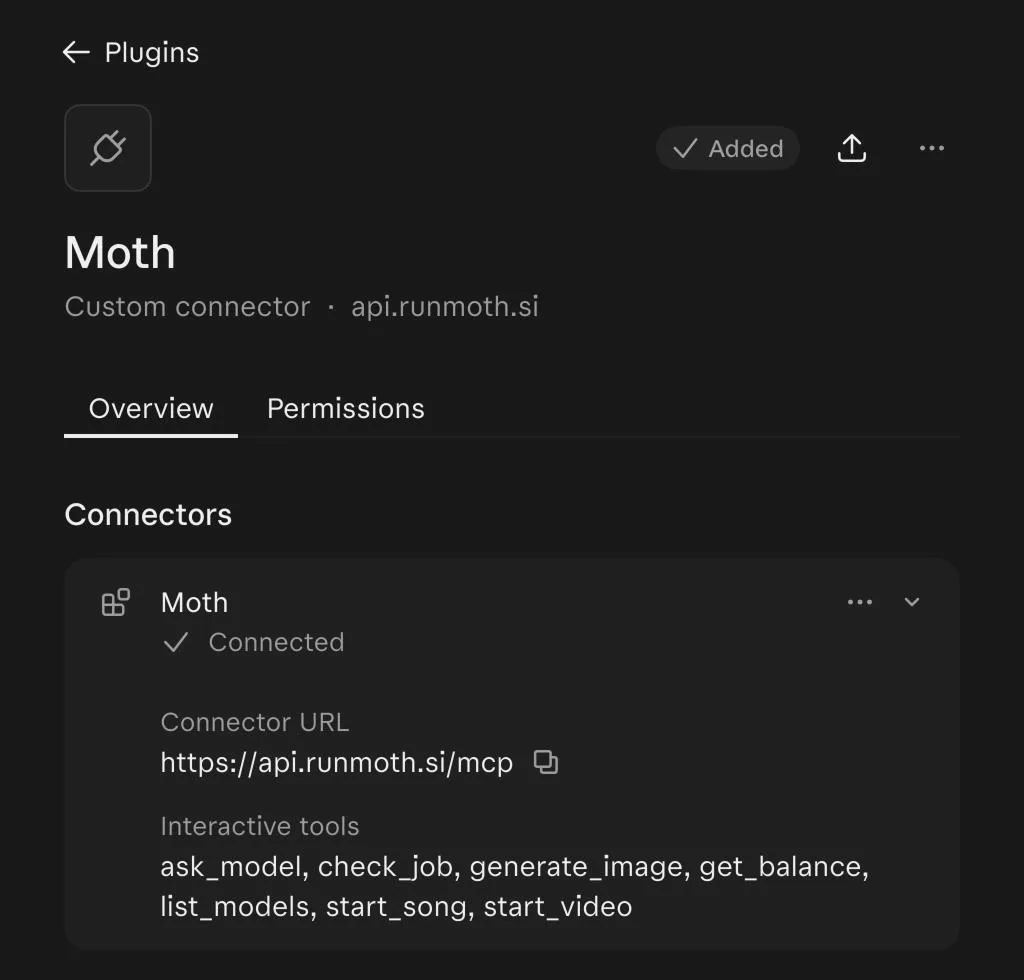
Back in Claude, Moth sits under Your plugins. Its page reads Connected and lists the seven tools Claude can now use.
Your first call
Start a chat
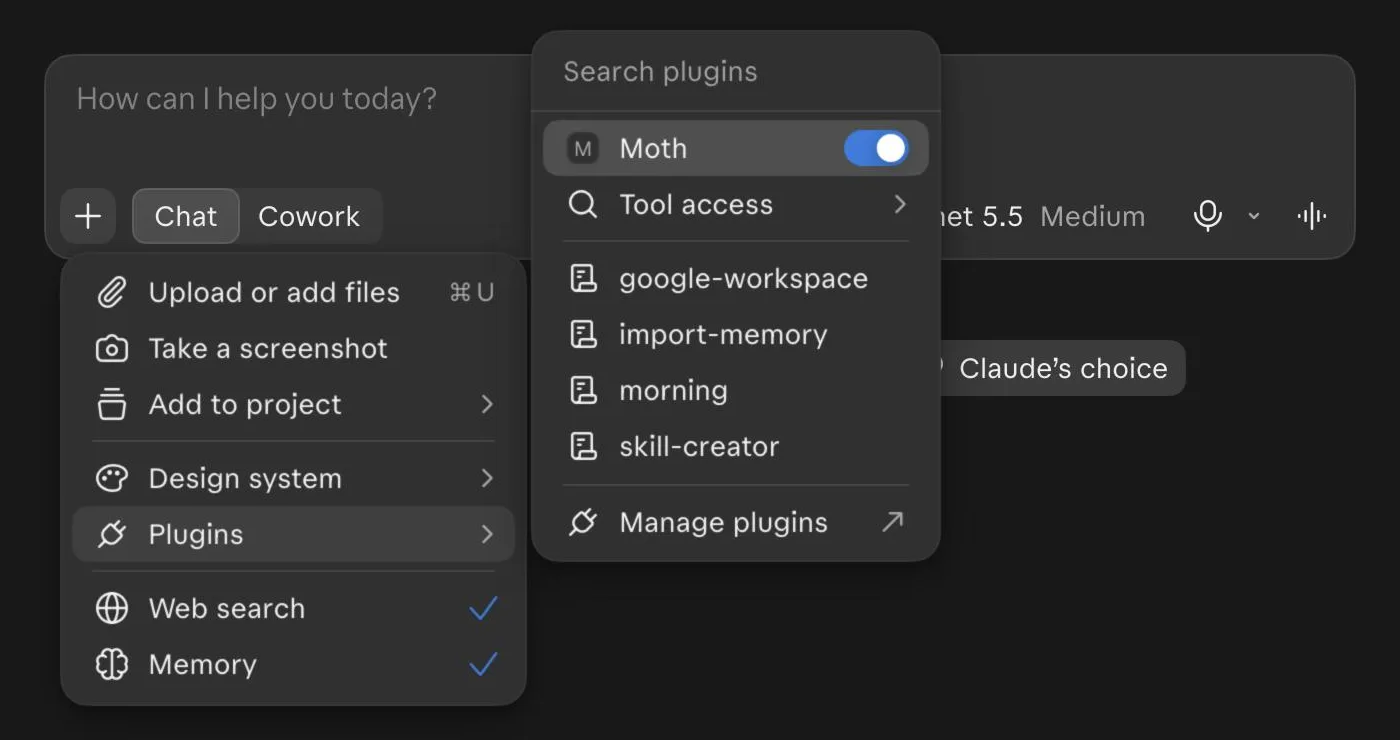
Moth is on from the start in every chat. Its switch is under the + button in the message box, then Plugins.
Ask in plain words
Name Moth and say what you want, such as an answer from Gemini 4 Argon, a picture or a song.
Allow the tool
The first time Claude reaches for each Moth tool, it asks you to allow it. Allow once runs it this time, and Always allow stops Claude asking for that tool.
Requests like these reach Moth.
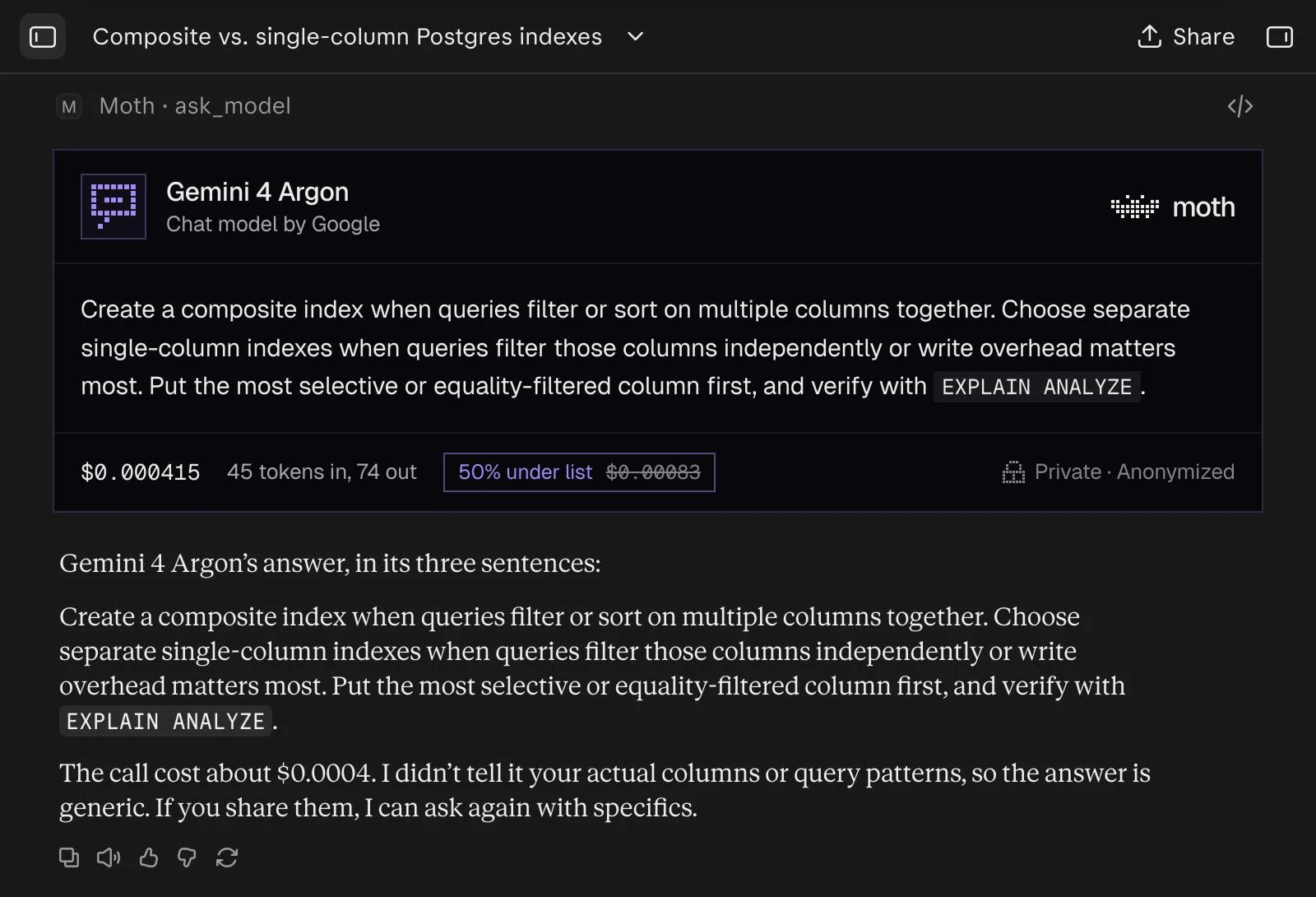
- Ask Gemini 4 Argon through Moth when one composite index beats two single-column indexes.
- Now ask GPT 6.2 Sol the same question through Moth.
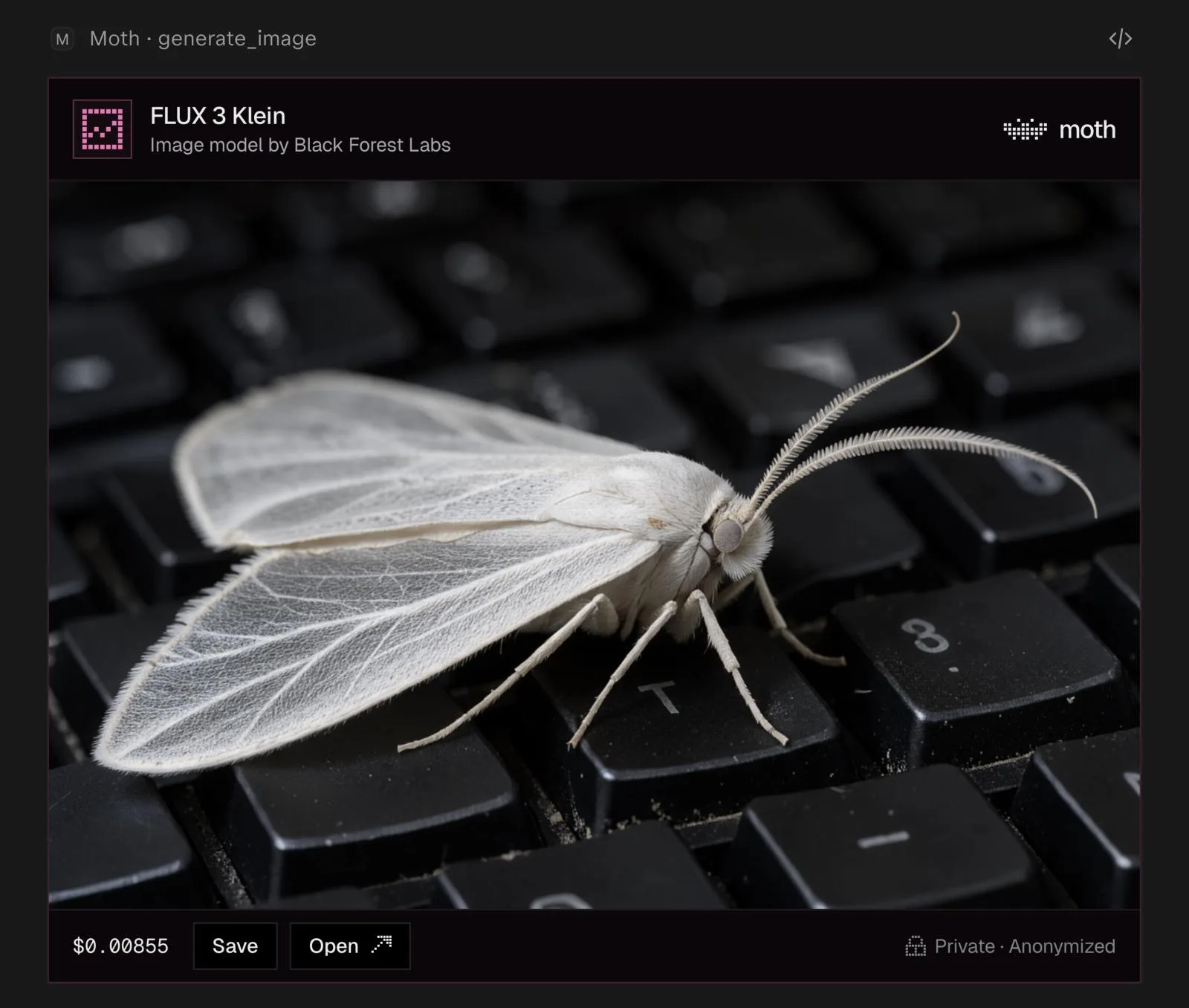
- Make a picture with Moth of a pale moth on a black keyboard.
- Start a song with Moth, a calm synth theme with a slow pulse.
- Show me all of Moth's models.
The answer arrives as a Moth card, and Claude reads it and carries on from there.
To set every tool at once, open Plugins, then Moth, then Permissions. Each tool can be always allowed, asked for each time or blocked.
Moth cards
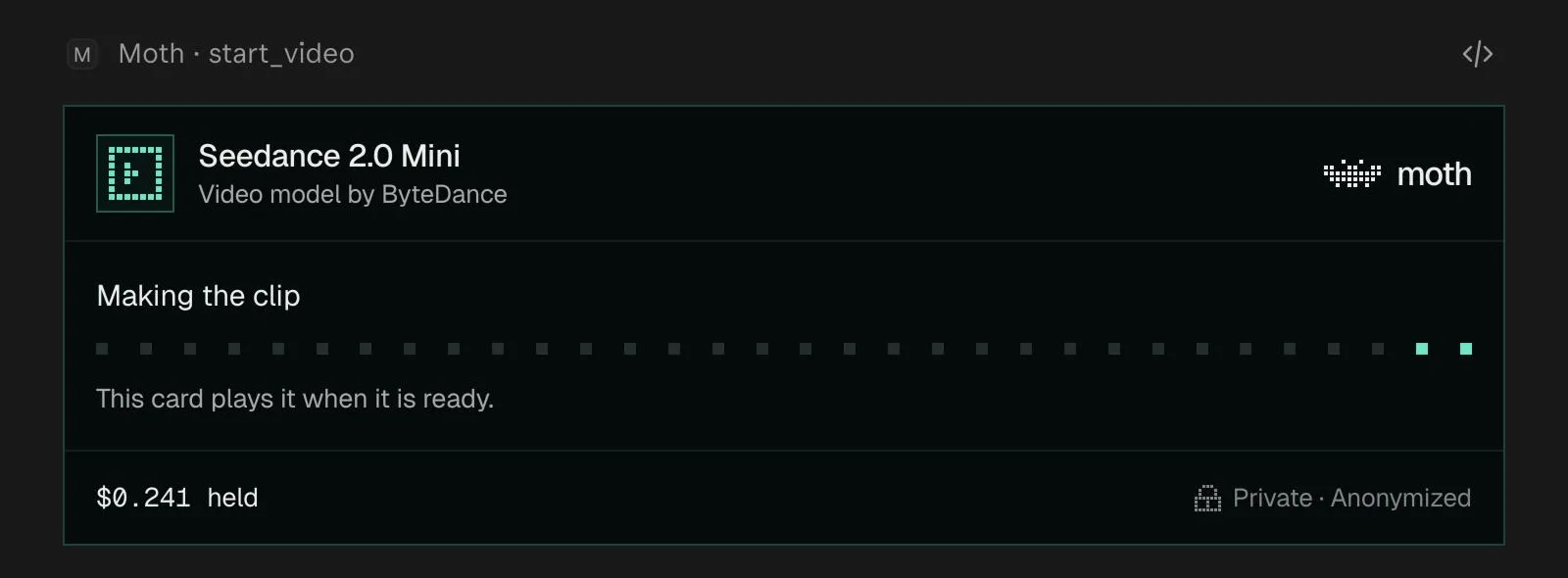
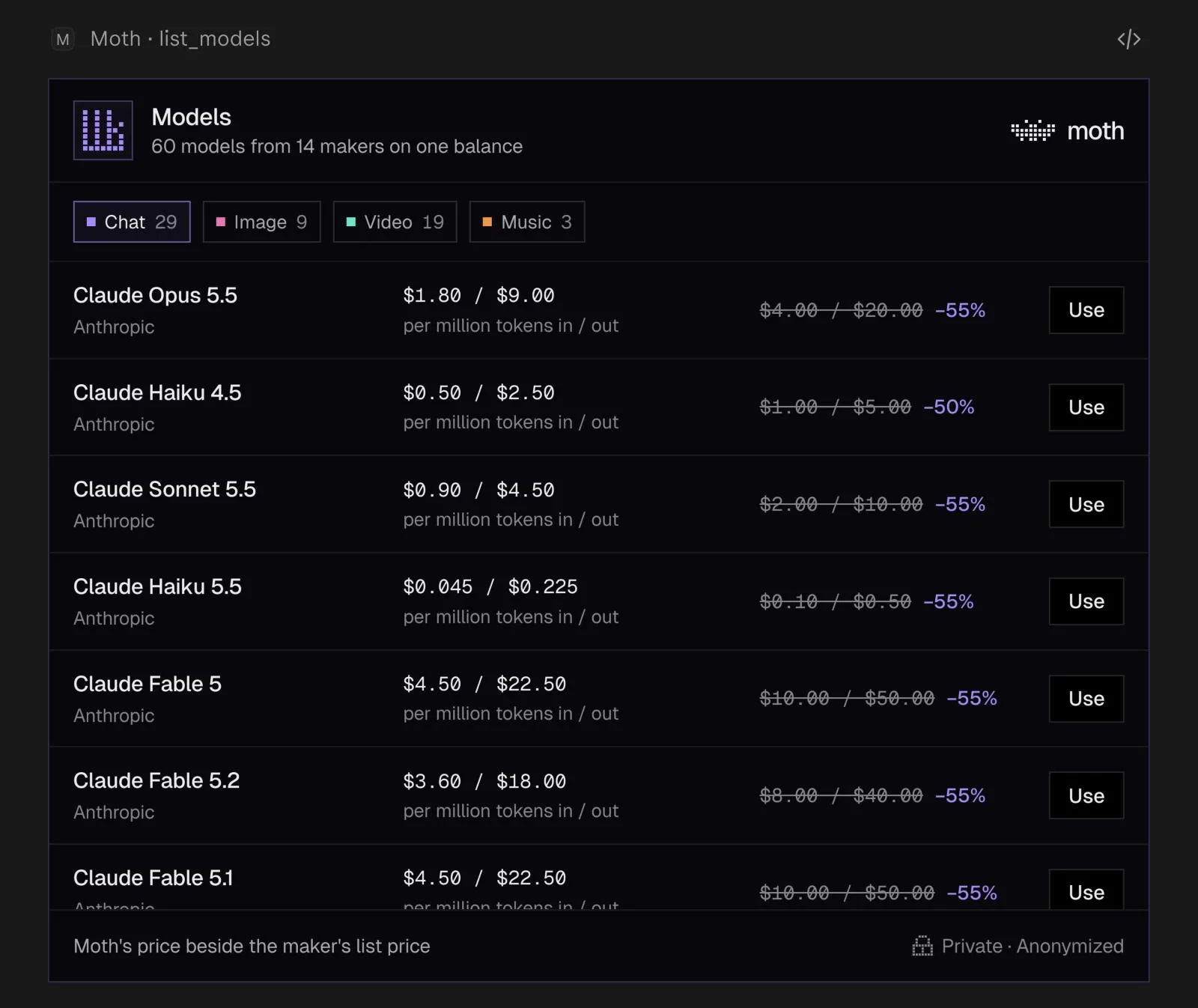
Each call opens a Moth card in the conversation, in the colour of its kind. Chat is violet, images are pink, video is teal and music is orange. The foot of a card names the privacy mode, and Private, Anonymized means the model's host never learns who you are, as Anonymized and Sealed explains.
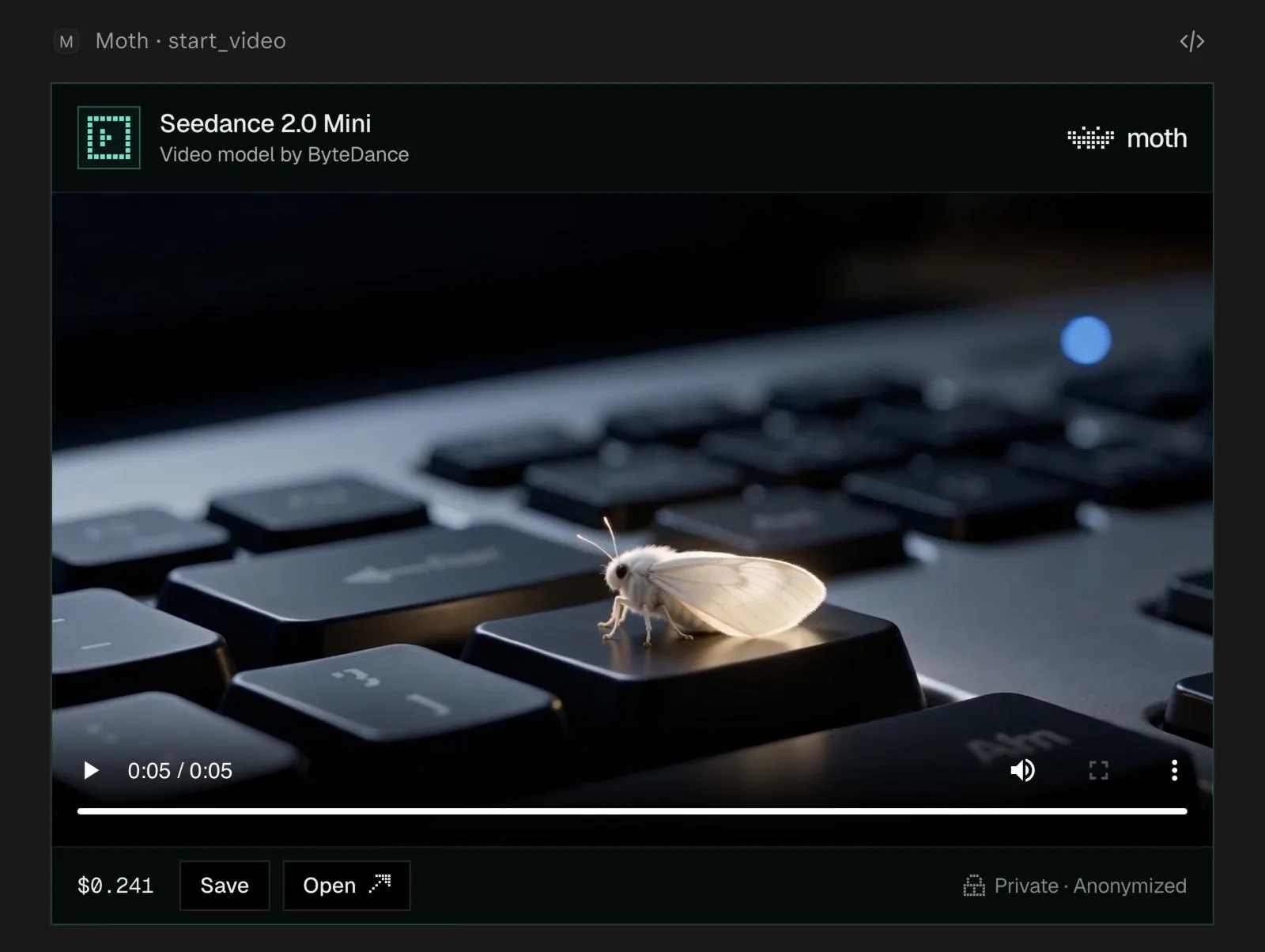
A picture arrives in its card. Open shows the full file in your browser, and Save keeps a copy where the app can save a file for you.
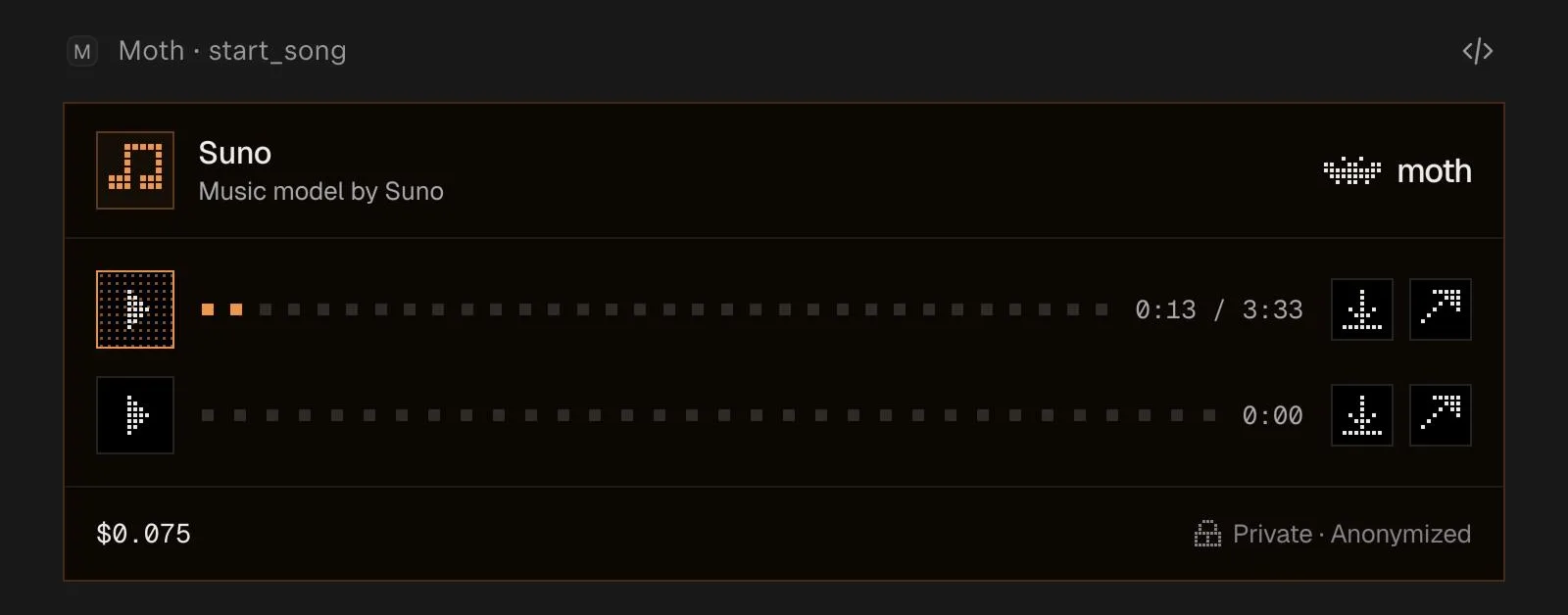
A clip or a song takes a while to make. Its card shows the price held and a moving meter, and it checks on the job by itself.
When the job is done, the same card becomes the clip, ready to play.
A song often comes back as two takes, and the card shows both. Each take plays in the card and has its own Save and Open.
Ask for the models and the card lists them by kind, with Moth's price beside the maker's list price. Use asks Claude to switch to that model.
Apps that don't show cards, such as Claude Code in a terminal, get the same results as text.
Files and Claude's workspace
Claude runs code and builds pages in a workspace of its own, and that workspace reaches only a short list of sites. It can't download a file from a Moth link, and a page Claude builds usually can't load a picture from another site. Open in the card is for you, and it opens the file in your own browser.
When Claude needs the picture itself, to put it in a page or to edit it, ask it to fetch the file with check_job and include_file. A finished picture of up to 4 MB then comes back inside the result. On a Team or Enterprise plan, an owner can also add api.runmoth.si to the sites the workspace may reach, in Claude under Organization settings, Capabilities.
Manage the connection
Every app you approve is listed in Moth Console under Settings, Connected apps, with what it has spent and its limit. Change the limit there, or press Revoke to end the connection at once. Claude then asks you to connect again the next time it reaches for Moth.
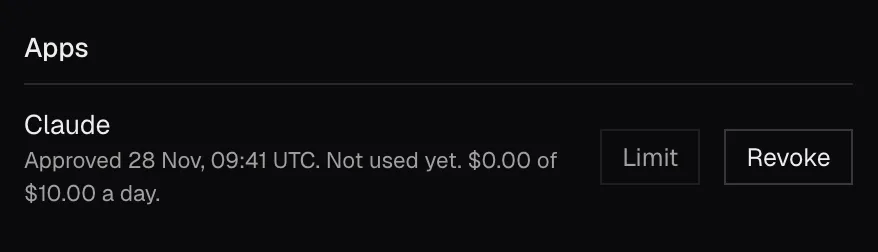
What Claude can't do. A connection can use models and read your balance, within its limit. It can't see or make API keys, touch your wallet or deposits, or read your Moth Chat history.
Privacy
Each model call goes through the Mothpoint like any other, so the model's host sees Moth and never you. Claude sees its own conversation, including what Moth's cards show, under Claude's own policy.