Moth Chat
Moth DocsApps
Moth Chat is the app for chatting with any model and making images, video and music on one balance, with your chats kept in your browser and who you are removed from every request.
Open Moth Chat. You can start without a wallet, on thirty free prompts on the free models, up to ten of which can make an image or a song. The trial is given once, and video needs a wallet. Connecting a wallet signs you in with one signature and opens every model on your balance.
Start a chat
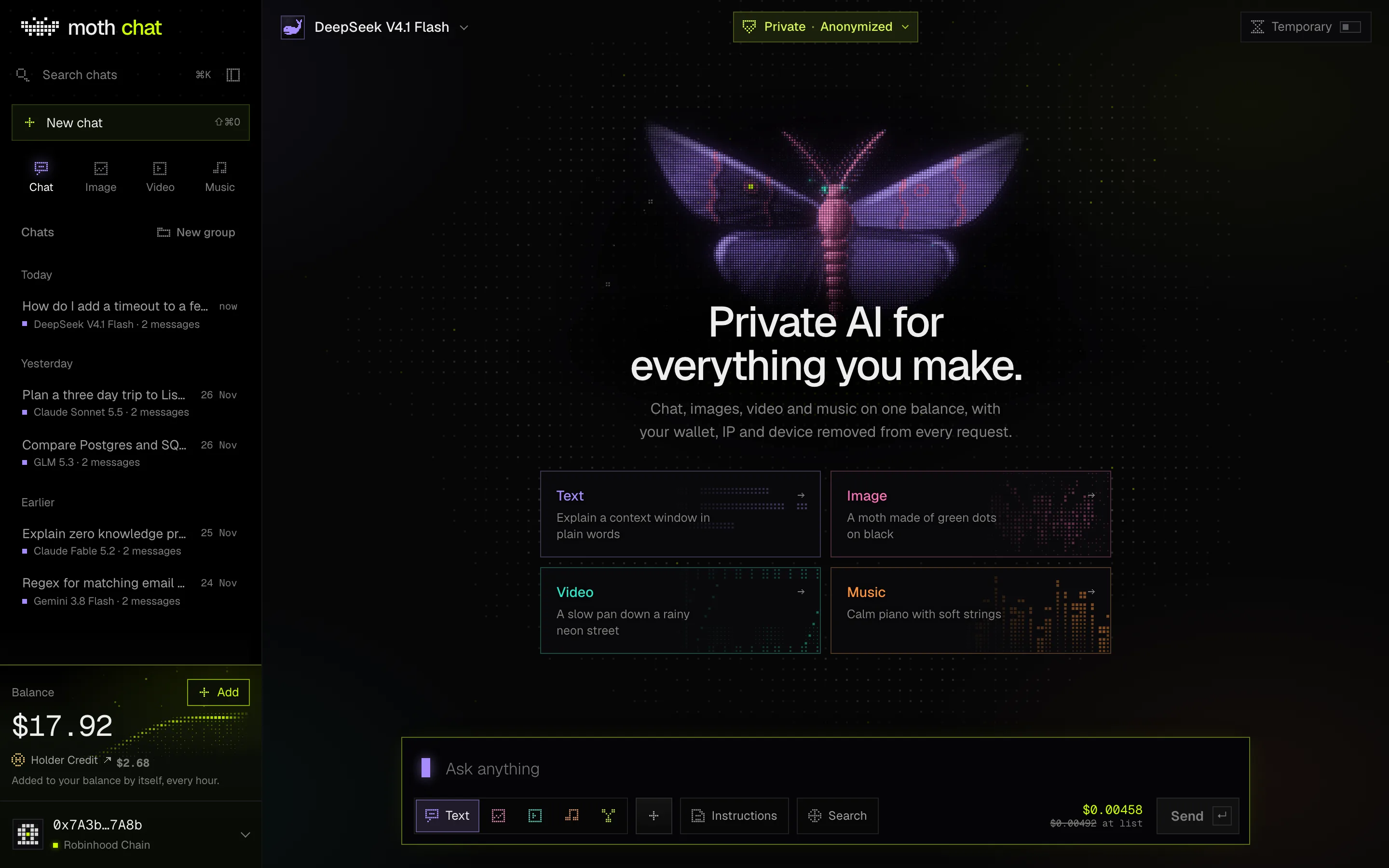
Open a new chat
Press New chat at the top of the panel. The box at the foot of the screen takes the message.
Choose what to make
The tabs on the box are Text, Image, Video, Music and Agent. Text chats with a model, the next three make media inside the chat, and Agent plans and runs a job across models.
Write and send
Type the message and press Send. The price of the send shows beside the button, with the list price where the model has one. The plus adds images or text files, and Search lets the reply search the web on the models that can.
Read the reply
The reply streams in. Under it you can copy it, regenerate it, continue one that stopped at the length limit, and open the privacy record of the request.
New to the app, Get started walks through the free trial, connecting a wallet and adding credit.
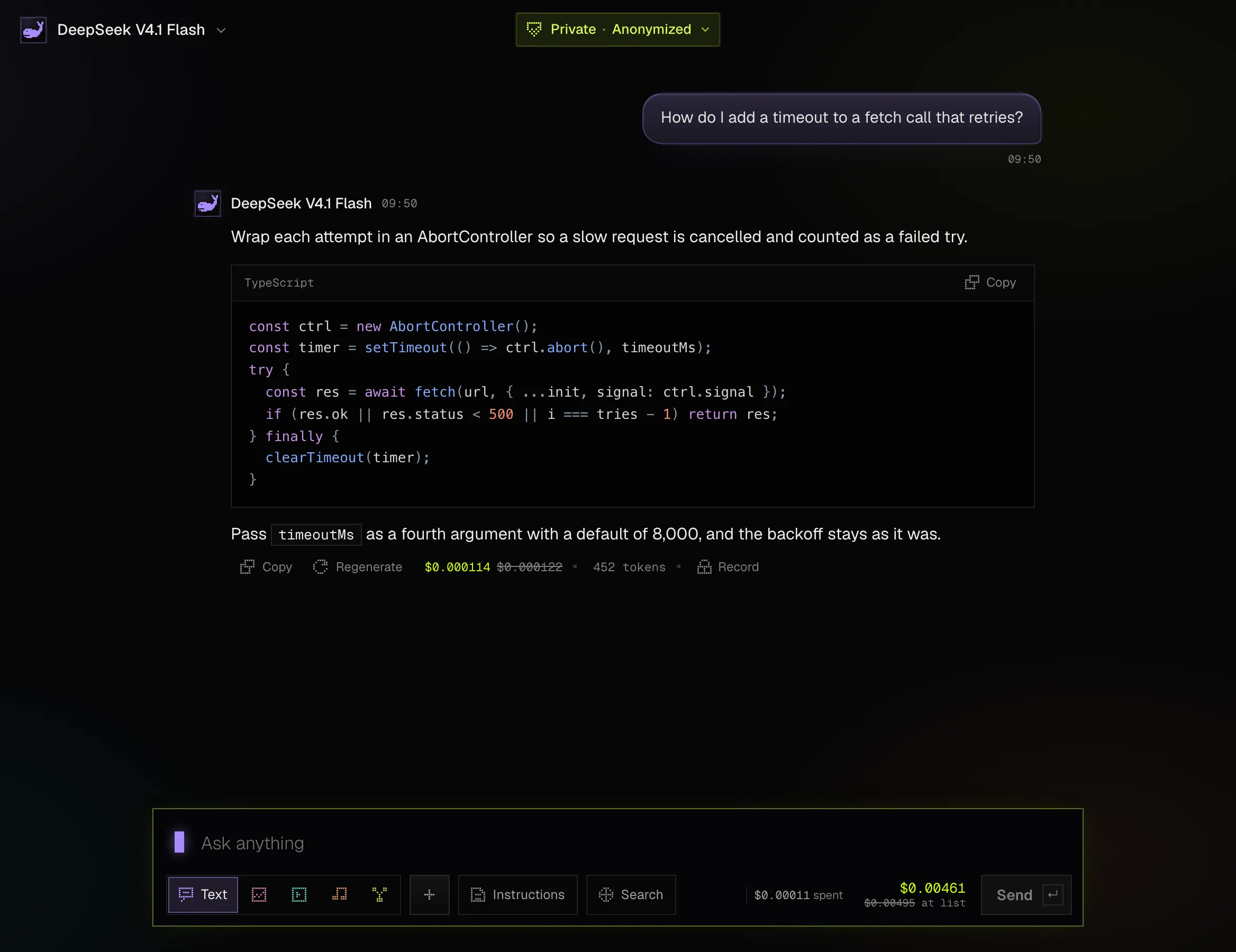
A message can carry up to four images, and text files of up to 200 KB each. PDFs cannot be read yet, so paste the text or attach it as a text file. Instructions are sent with every message, and you can set them for one chat, for a group of chats or for every chat.
Make a new chat temporary before its first message with the Temporary switch. A temporary chat and what you make in it are erased when you close Moth Chat, and it is never backed up.
The panel lists your chats as Pinned, your groups and the rest by day. A chat's menu renames, pins, moves, exports or deletes it, and Search chats reads the titles and the words inside every chat in this browser.
Moth Agent
The Agent tab on the box turns one request into a job across models. Describe what you need made, and Moth plans up to six steps, from research with web search and writing to pictures, a clip and a song. The plan shows each step's model and what it should cost, with the total, and you can take a step out. Nothing runs until you press Run, and only the planning reply is charged before that.
Run turns the plan into a live board. Steps run one after another, writing uses what the research found, and pictures, clips and songs land in place and in the Library. Each step is an ordinary request with its own privacy record, so the Privacy log lists every one. Stop halts the step that is writing and skips the rest, and a clip or song already started finishes. When the run ends, the board shows what it charged across how many models, and the chat carries on with what the agent made. The Agent tab needs a wallet, since its steps are paid. On a phone it sits beside Search. Run a job with Moth Agent goes through it step by step.
Pick a model
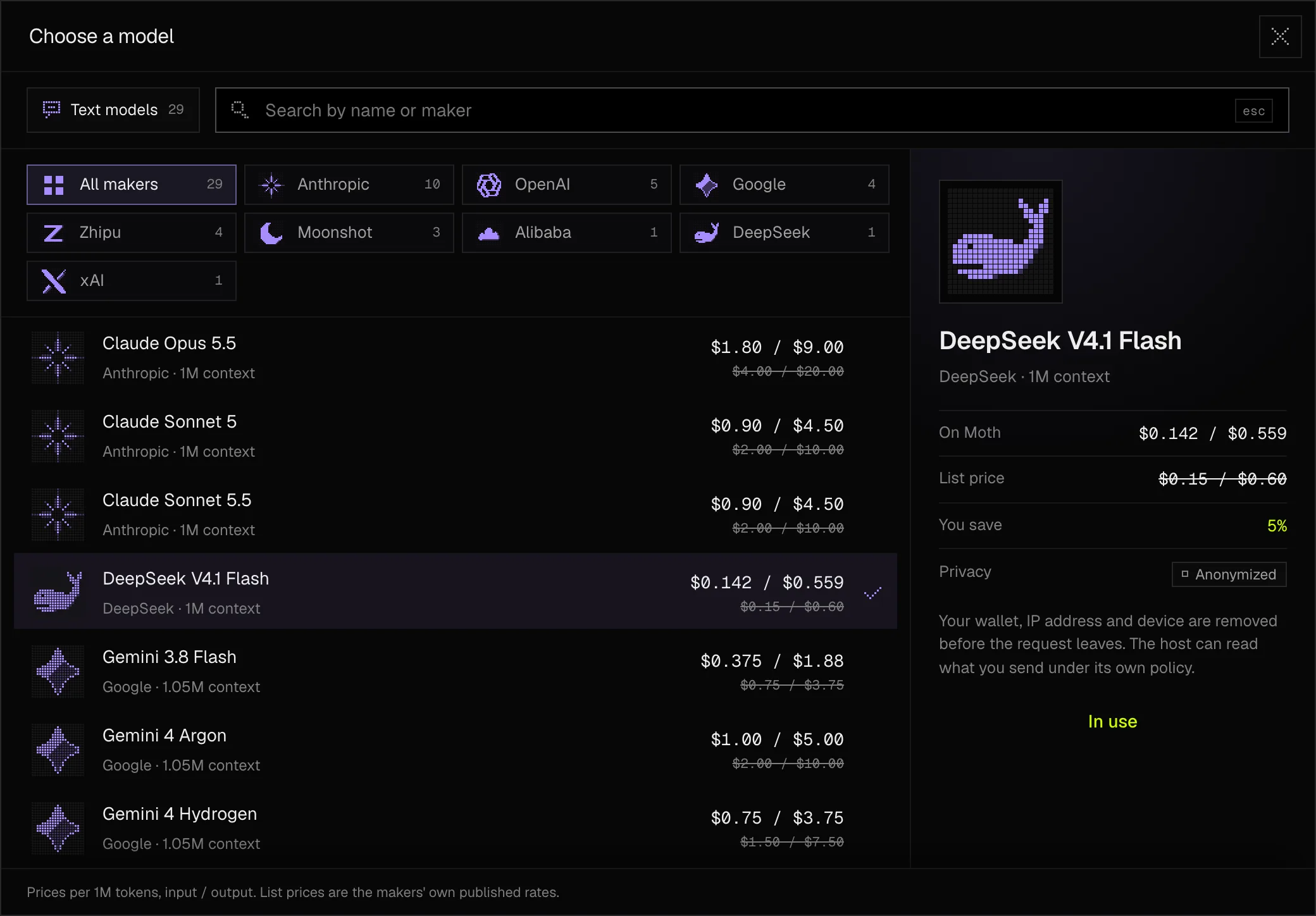
The model's name at the top of the chat opens Choose a model. The makers sit above the list with a count each, the search reads names and makers, and each model's row shows its maker, its context window and its price over its list price. The panel at the right shows the model in detail with its privacy mode. In Settings, under Replies, you set the model new chats start with, which is Moth's pick until you choose one. Pick a model has the steps.
The studios
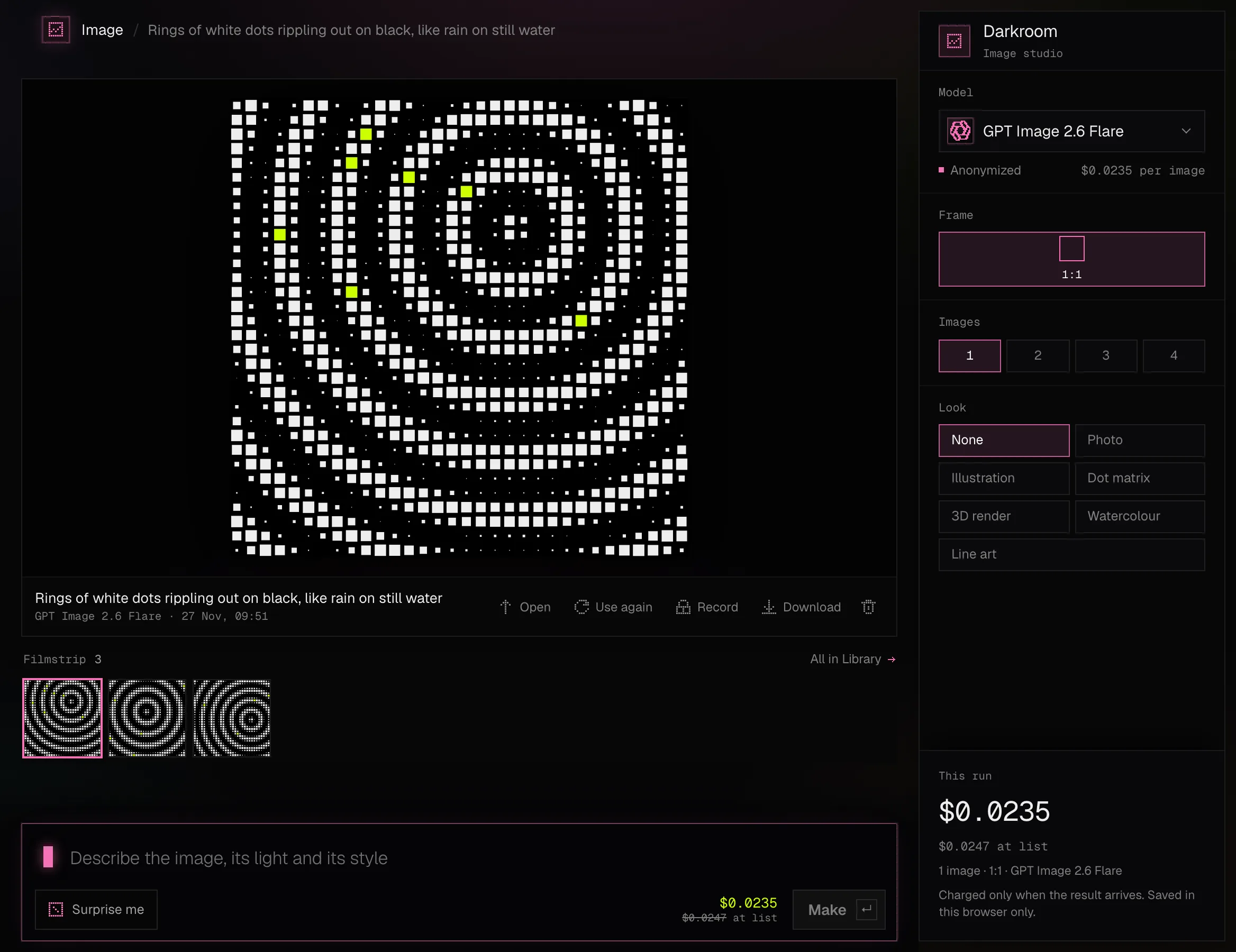
Image, Video and Music in the panel open the three studios, each a full page for one kind. A studio has its model and settings at the side, a few ideas to start from, Surprise me, and the price of the run against list before you make it. A run is charged only when the result arrives. Make images, video and music walks through each studio.
The Library
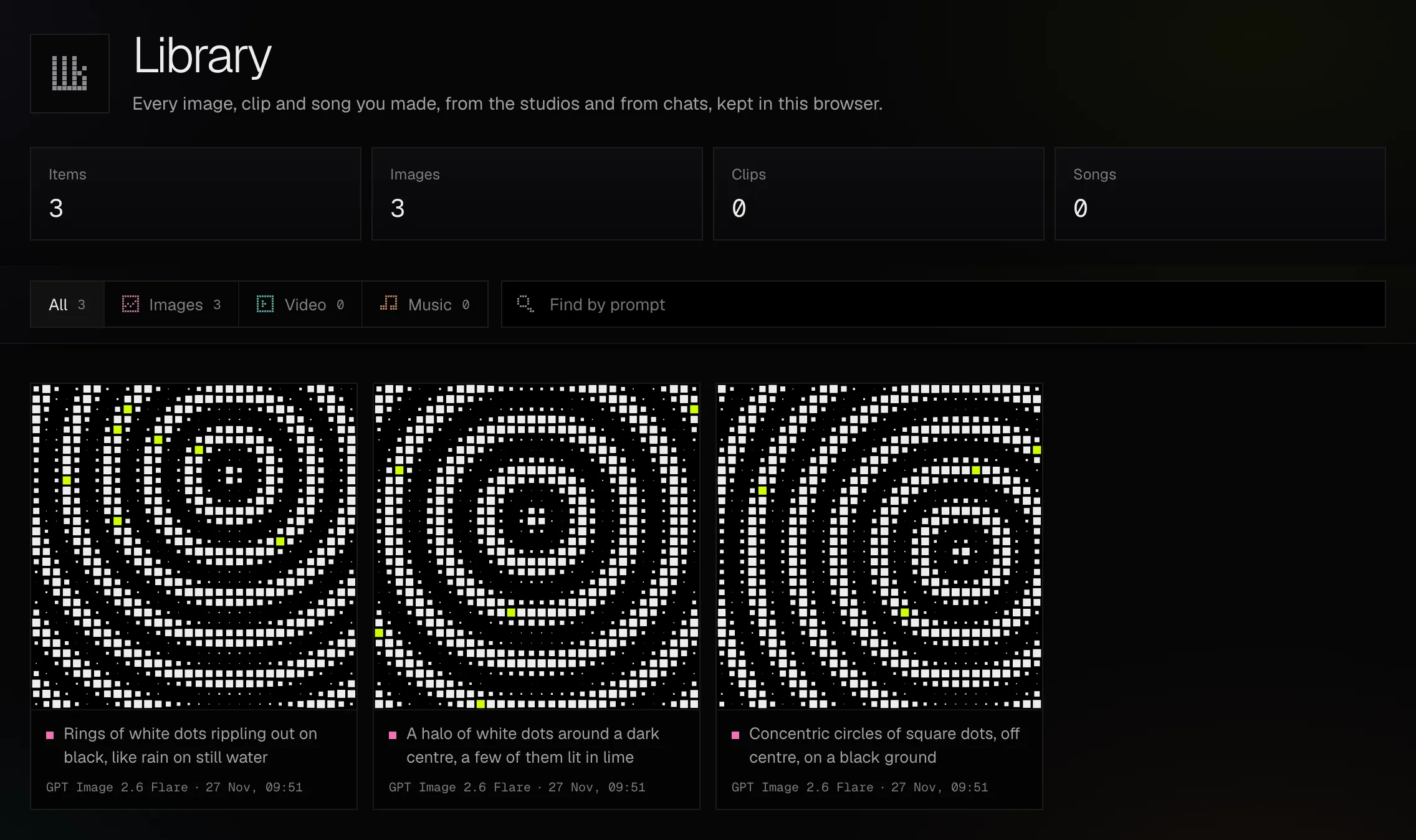
The Library keeps every image, clip and song you made, in the studios or in a chat. Filter it by kind or find an item by its prompt, then open, download or delete it, see its privacy record, or send its prompt back to its studio. Everything in it is stored in this browser.
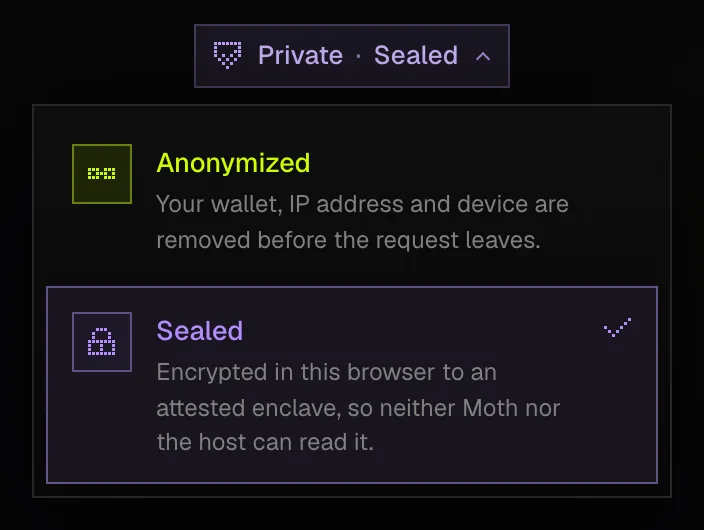
The privacy menu and the privacy log
The badge at the top of a chat reads Private and the mode the chat runs in. Pressing it opens the privacy menu with the two modes. Anonymized, which every model in the catalog runs in, removes your wallet, IP address and device before the request leaves. Sealed encrypts the request in your browser to attested hardware, so neither Moth nor the host can read it, and after each Sealed reply the chat shows a receipt of the checks your browser made. Picking a mode narrows the model list to the models of that mode, as Anonymized and Sealed explains, and Chat in Sealed shows the receipt check by check.
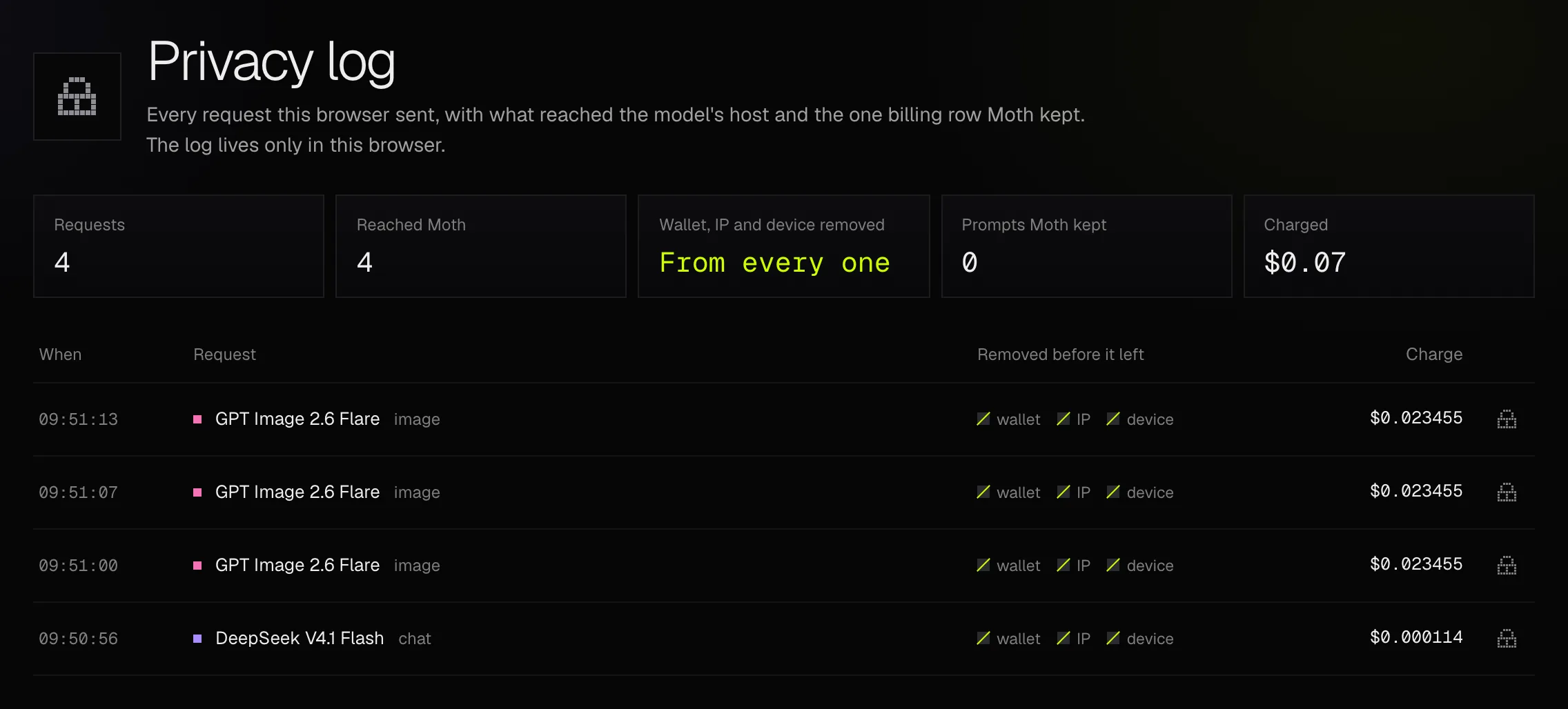
The Privacy log, in the account menu, lists every request this browser sent, with what was removed before it left and what it was charged. A row's privacy record follows the request's route, from what left the browser and what the API removed to what the host saw and the one billing row Moth kept. The log lives only in this browser.
The account area
The foot of the panel shows your balance, and the account row under it opens a menu with Account, Settings, Usage, the Library, History, the Privacy log, Backup and Moth Console. The Account page shows your address, the balance and how long it lasts, your spend and requests, when you use Moth and your latest calls. Add credits and Redeem a code open Moth Console, where credit is added.
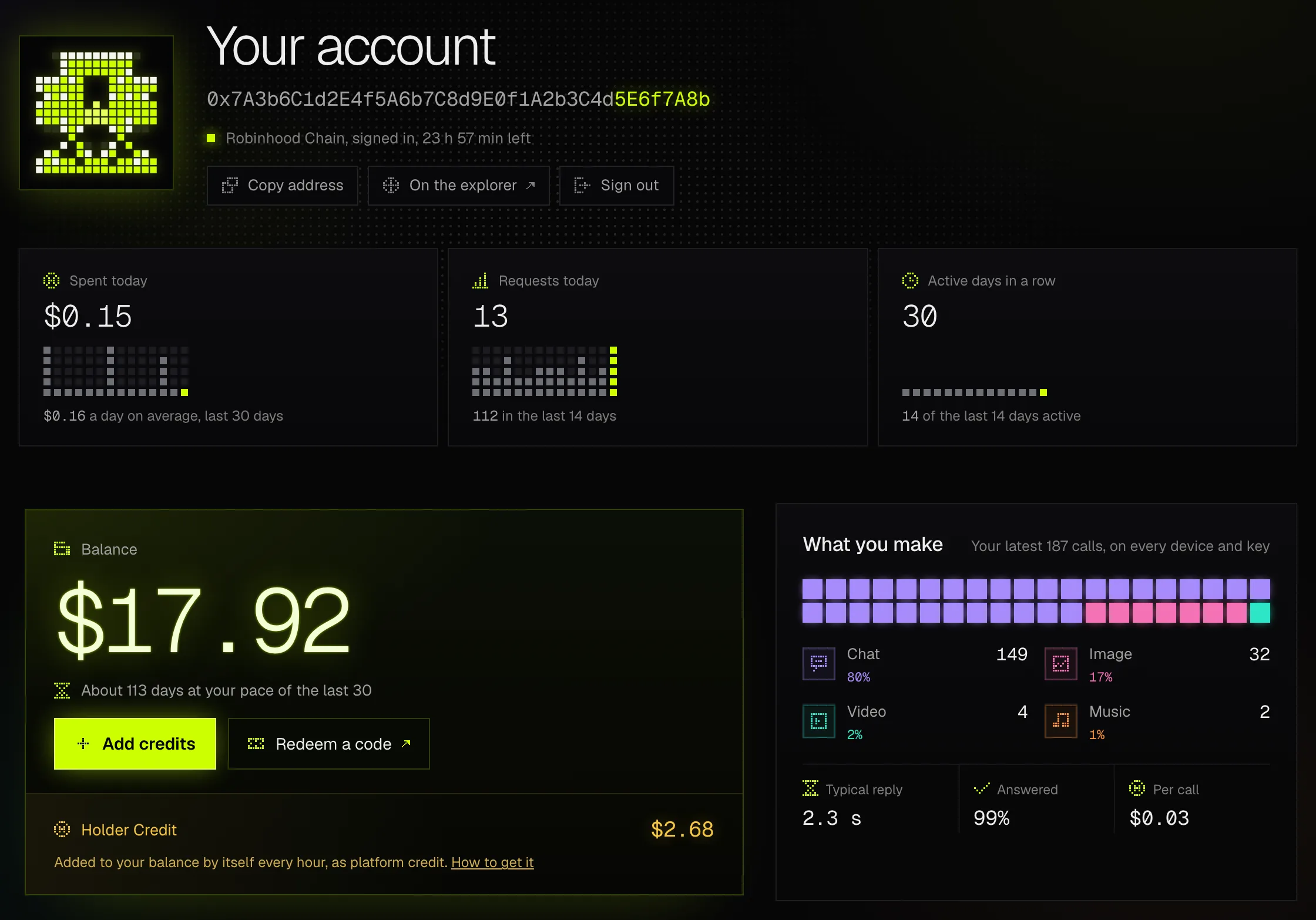
The Account page also shows Holder Credit, and it is not an offer to buy $MOTH.
What stays in the browser
- Chats, groups, instructions and settings are saved in this browser, and so are the images, clips and songs in the Library and the records in the Privacy log.
- Moth keeps no copy of what you send to a model or of what comes back. It keeps one billing row for each request, with the model, the counts and the cost.
- History lists every chat and file in this browser, exports them as a file and wipes them. Clearing the browser's data removes them too, and without a backup there is no other copy.
Backup
Backup is off until you turn it on, in Settings under Backup or from the account menu. Your browser seals each backup before it leaves, and Moth keeps only the sealed copy, which your recovery code or a passkey opens. Moth cannot read it and cannot reset the code, so keep the code somewhere safe. Temporary chats and Backup has the steps.
- A backup keeps chats, groups, instructions and settings.
- Images, clips and songs stay in this browser, and temporary chats are never backed up.
- It runs by itself a few seconds after a chat changes, and brings in what your other devices changed.
- On another device, choose Restore a backup and use the passkey or the recovery code. What is already in that browser stays.
- Turn off backup deletes the copy Moth keeps and leaves your chats in this browser.